Cookie Banner GDPR Check: Is Your Banner Actually Blocking Anything?
Your website has a cookie banner. Visitors see it, they can click Accept or Deny, and it looks like the job is done. But a banner that only sits on the screen doesn’t protect anyone. If Google Analytics loads before the visitor clicks anything, the data is already gone. This is the most common cookie banner GDPR problem, and it takes a minute to check.
Why a banner alone isn’t enough
Under EU rules, tracking cookies and analytics need the visitor’s consent before they run, not after. The banner is only the question. What matters is what your website does while it waits for the answer.
On many sites, the analytics code was added long before the banner: pasted into the theme’s header, added by a plugin, or set up by whoever built the site. The banner was installed later, on top. Nobody connected the two, so the banner asks for permission while Google Analytics has already started tracking.
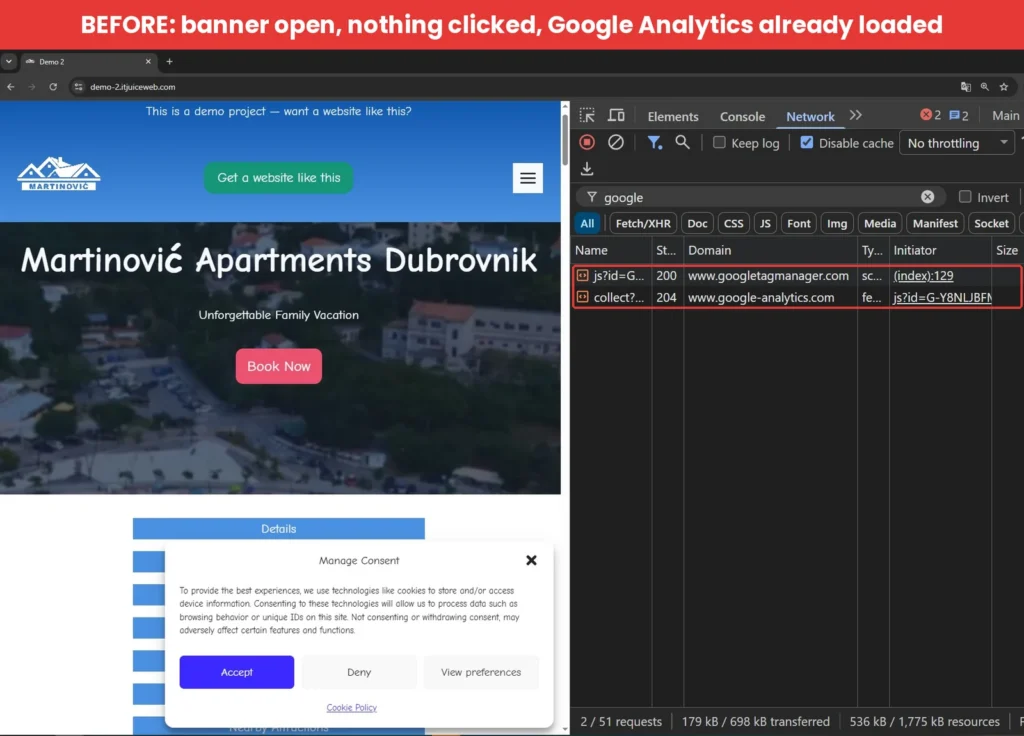
On my demo site, with the banner open and nothing clicked, the page had already loaded Google Analytics and sent the first visit to Google.
How to check your website in one minute
You’ll use the same Chrome tools as in the Google Fonts check, with one difference: open DevTools before you load the page, so you catch everything from the first second.
- Open a new private/incognito window in Chrome. This matters, because if you’ve clicked Accept on your site before, the browser remembers it.
- Press F12 to open DevTools, click the Network tab and tick Disable cache.
- Click All and type “google” in the filter box.
- Now open your website and don’t click anything on the banner.
- Look at the Domain column.
If you see googletagmanager.com or google-analytics.com while the banner is still waiting for an answer, your analytics loads without consent.
Check the cookies too
- In DevTools, open the Application tab.
- On the left, under Storage → Cookies, click your website’s address.
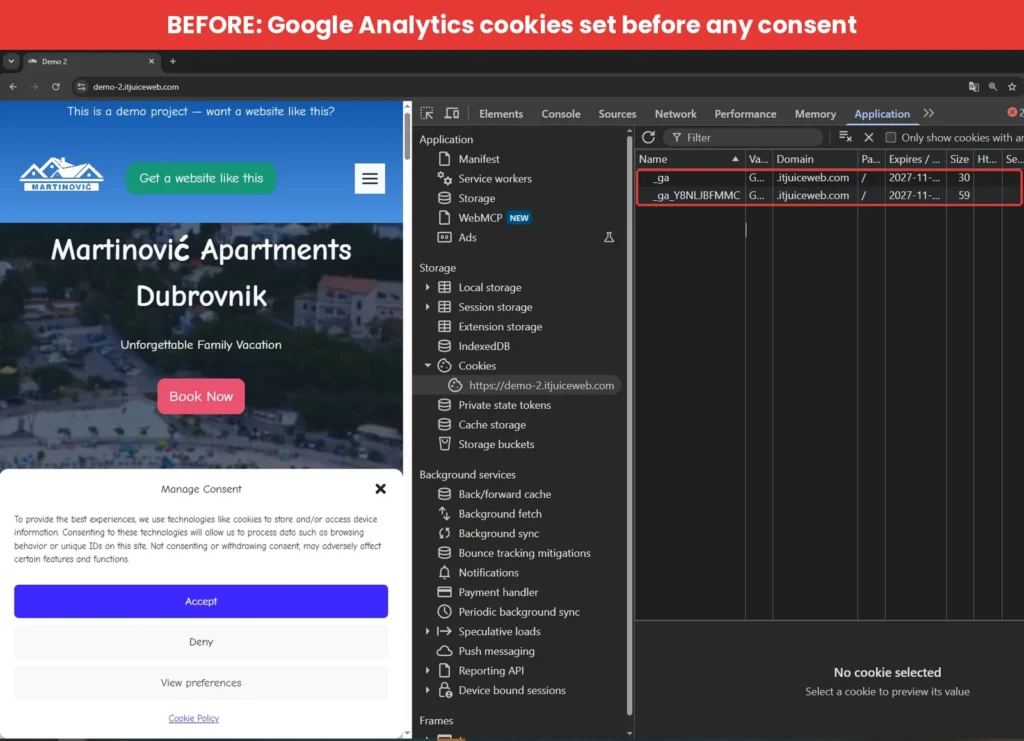
If you see cookies named _ga and _ga_ followed by a code, Google Analytics has already given this visitor an ID, before they agreed to anything. On my demo site, both cookies were set to last over a year.
How to fix it: let the consent plugin load your analytics
The fix is to stop loading Google Analytics on your own and let your consent plugin do it, only after the visitor clicks Accept. I tested this with Complianz, the same free plugin I used in the Google Maps check. If you haven’t installed it yet, the setup is described there.
- Remove your current Google Analytics code. Wherever it was added (theme settings, a header/footer plugin, Site Kit or another analytics plugin), take it out. If you skip this step, the old code keeps loading GA without asking, no matter what the banner says.
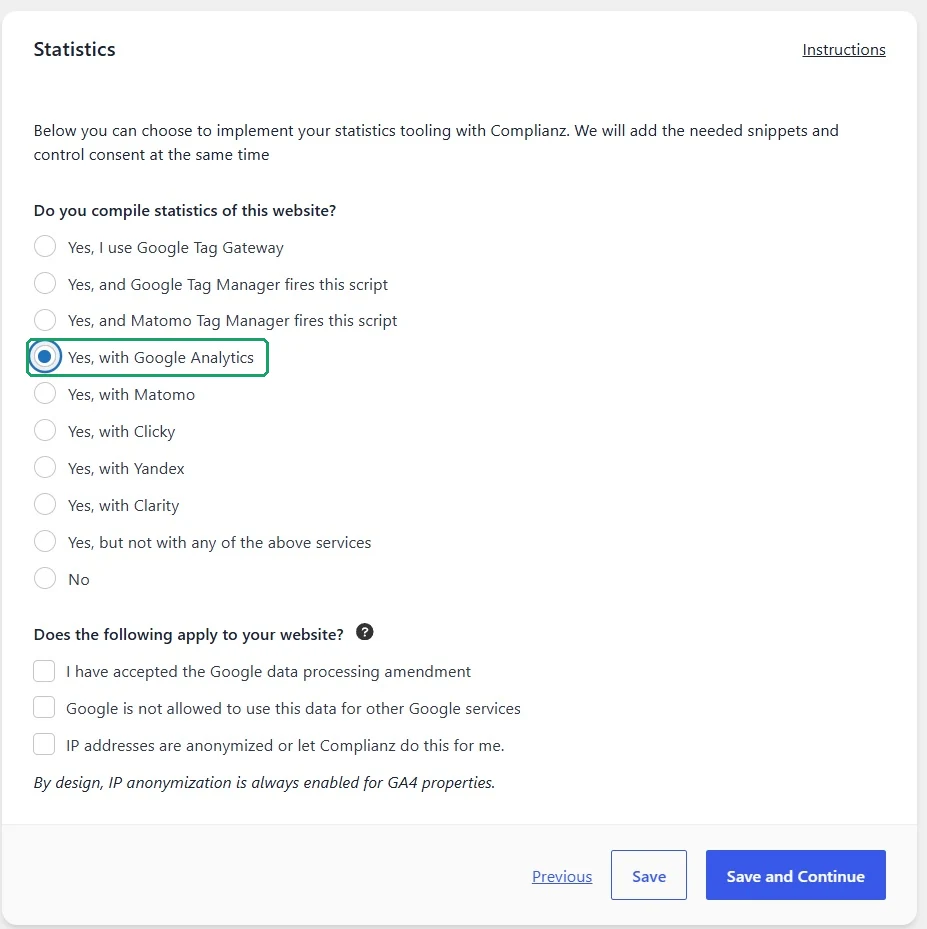
- In the Complianz wizard, go to Consent → Statistics and choose Yes, with Google Analytics. Leave the three checkboxes below unticked, so Complianz treats analytics as something that needs consent.
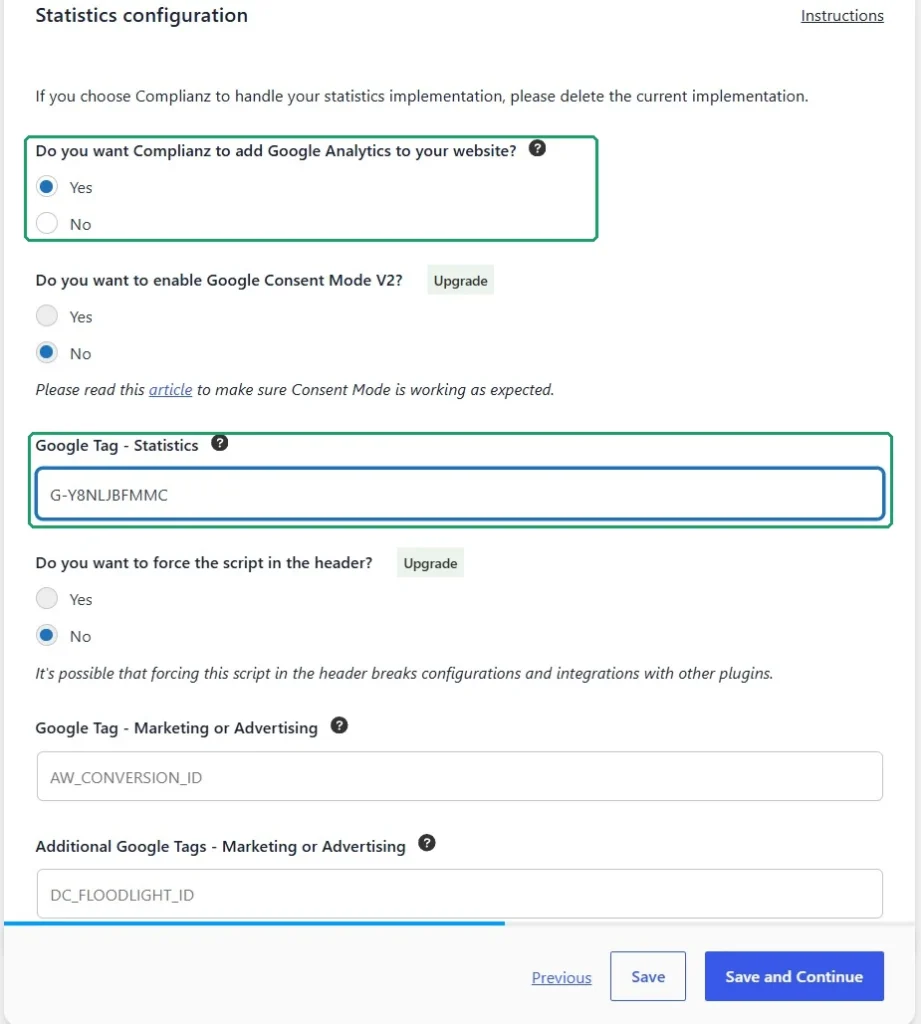
- On the next screen, answer Yes to “Do you want Complianz to add Google Analytics to your website?” and paste your Measurement ID (it starts with G-, and you’ll find it in Google Analytics under Admin → Data streams).
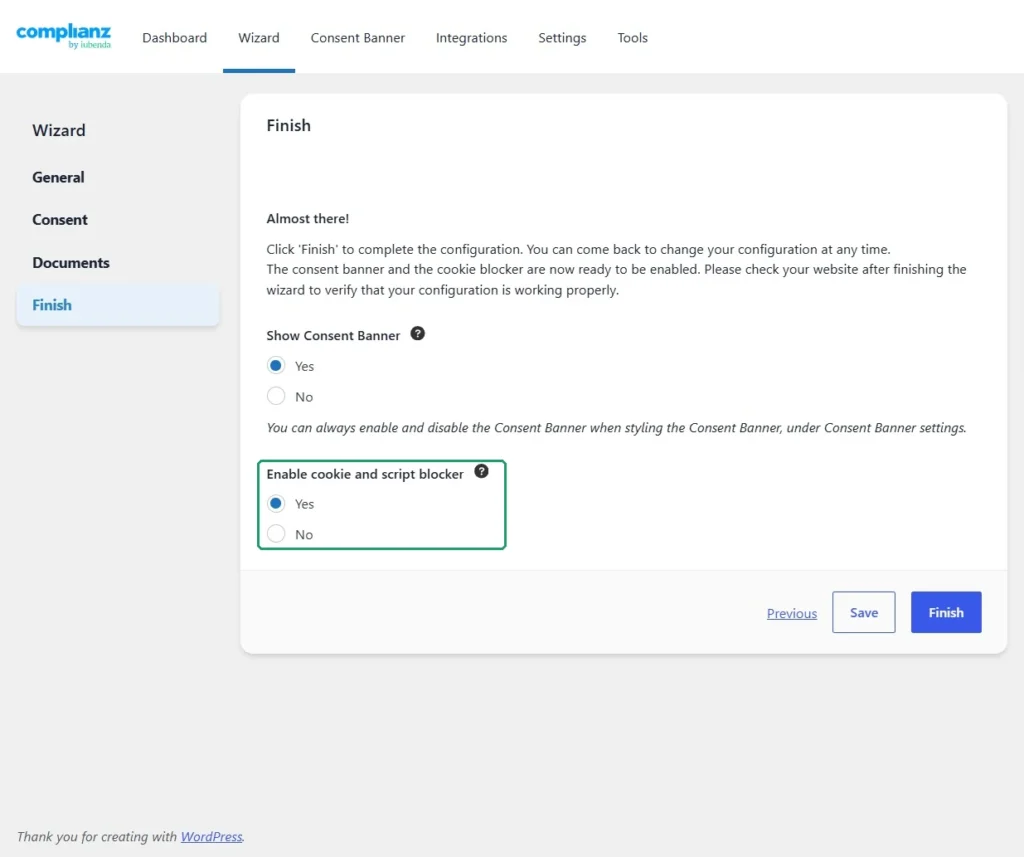
- On the Finish step, make sure Enable cookie and script blocker is set to Yes.
- Clear your cache (caching plugin, server and CDN), close all private windows and run the check again in a fresh one.
The result: nothing until the visitor says yes
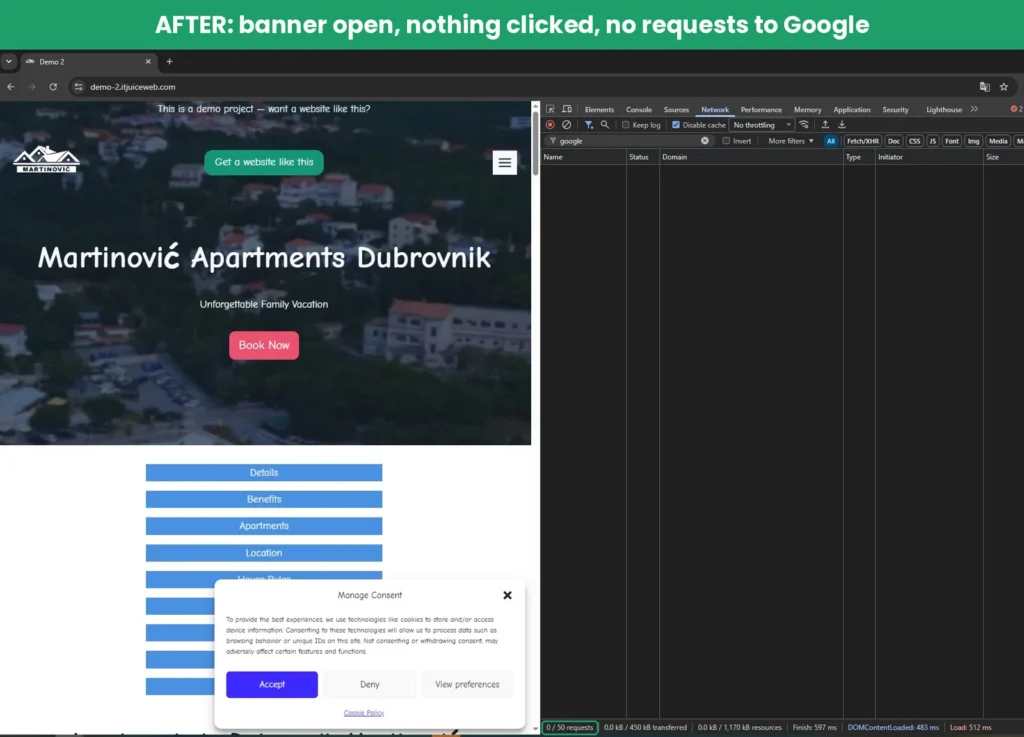
With the banner open and nothing clicked, there are zero requests to Google. Analytics isn’t delayed or hidden, it simply doesn’t load.
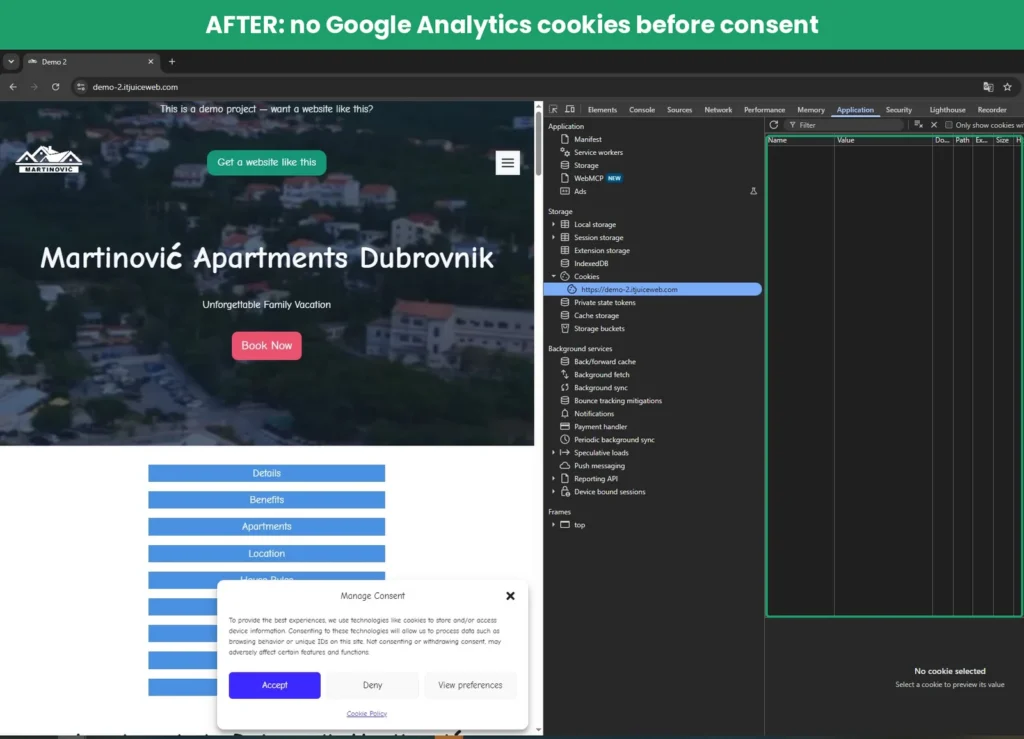
There are no _ga cookies either. Nothing about the visitor has been stored yet.
After Accept
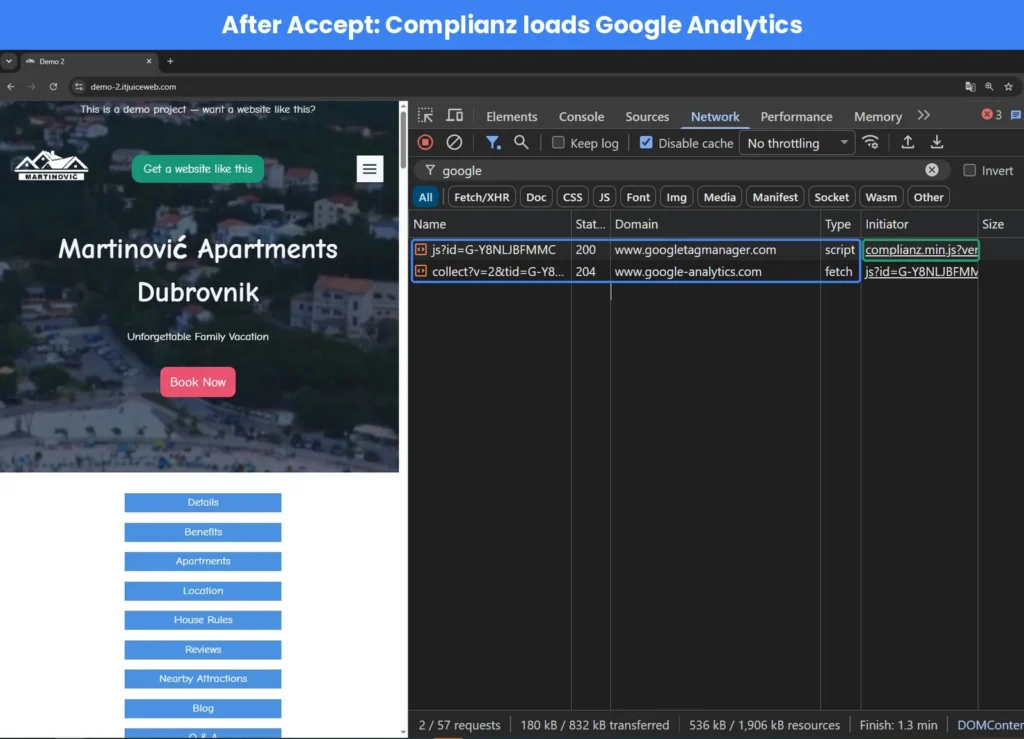
Once the visitor clicks Accept, Google Analytics loads normally. Look at the Initiator column: before the fix, GA was started by the page itself. Now it’s started by complianz.min.js, so the consent plugin is the one in control.
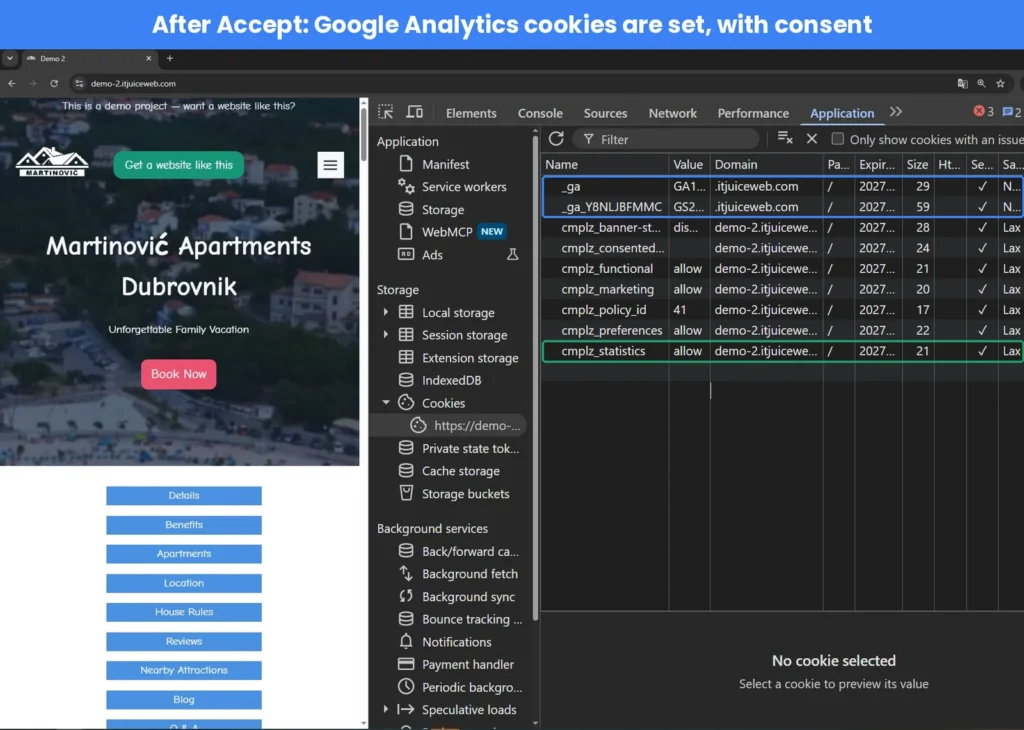
The _ga cookies appear only now, together with Complianz’s own cookies that remember the choice (cmplz_statistics: allow).
After Deny
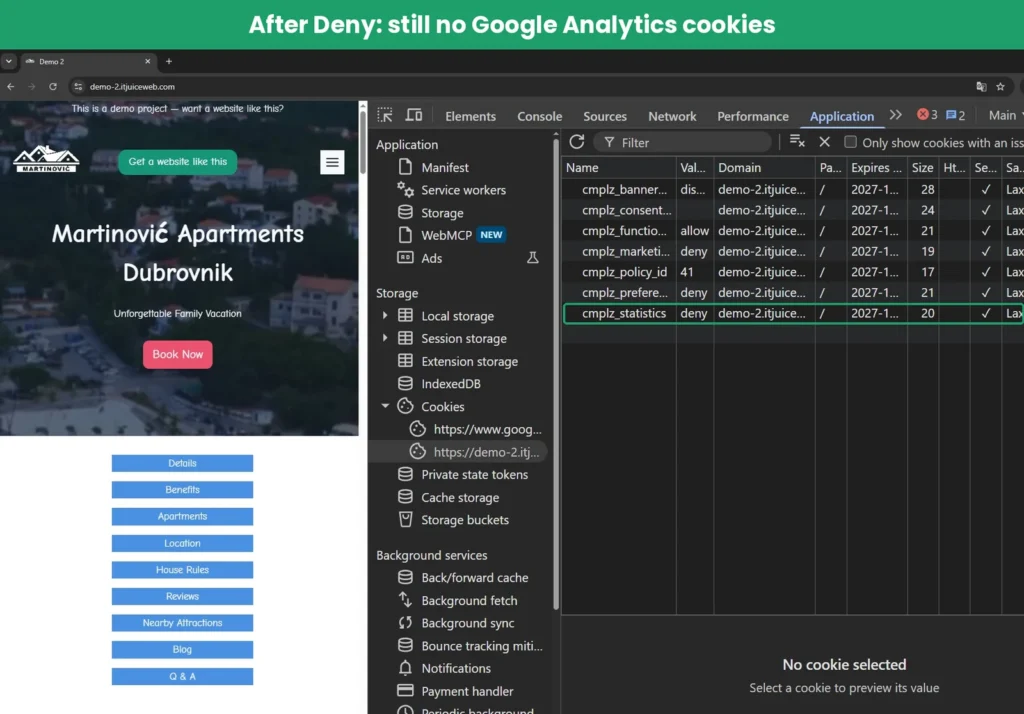
If the visitor clicks Deny, nothing changes: no Google Analytics, no _ga cookies. Complianz only stores the visitor’s choice (cmplz_statistics: deny), so the banner doesn’t ask again on every page.
It’s worth testing Deny too. Some setups block analytics before the first click but load it anyway after Deny, which defeats the purpose.
One of the small things worth checking
This article isn’t legal advice. It’s one of the technical checks I do on every site I build or maintain, because a banner that doesn’t block anything gives a false sense of safety.
Want a second pair of eyes on your website? Get in touch and I’ll tell you what I’d fix first.